
Your guide to traveling to Shanghai from United States

If you’re heading to China for the first time from the United States, you will definitely need to prepare for your trip! Several things to think about are visa requirements, booking details, apps, and travel logistics! I was personally a little overwhelmed when I first started planning my Shanghai trip, so I’ve gathered what I think were the most impactful things I wish I knew before my trip. Hopefully this helps you in your trip planning as well!
Since I only visited Shanghai during my recent trip, I can’t speak to how any of this applies to China as a whole, but I believe these tips should apply to visiting other cities in China also.
Preparing for your trip
Make sure your passport is valid for the next 3 months
This is true for all international travel! Make sure that your passport is valid and that its expiration is not for another 3 months! I believe different countries have different validity period requirements, but 3 months is generally a safe amount of time to not run into issues. Be sure to check this well before your trip so that you have enough time to renew it if you need to!
Check your visa requirements
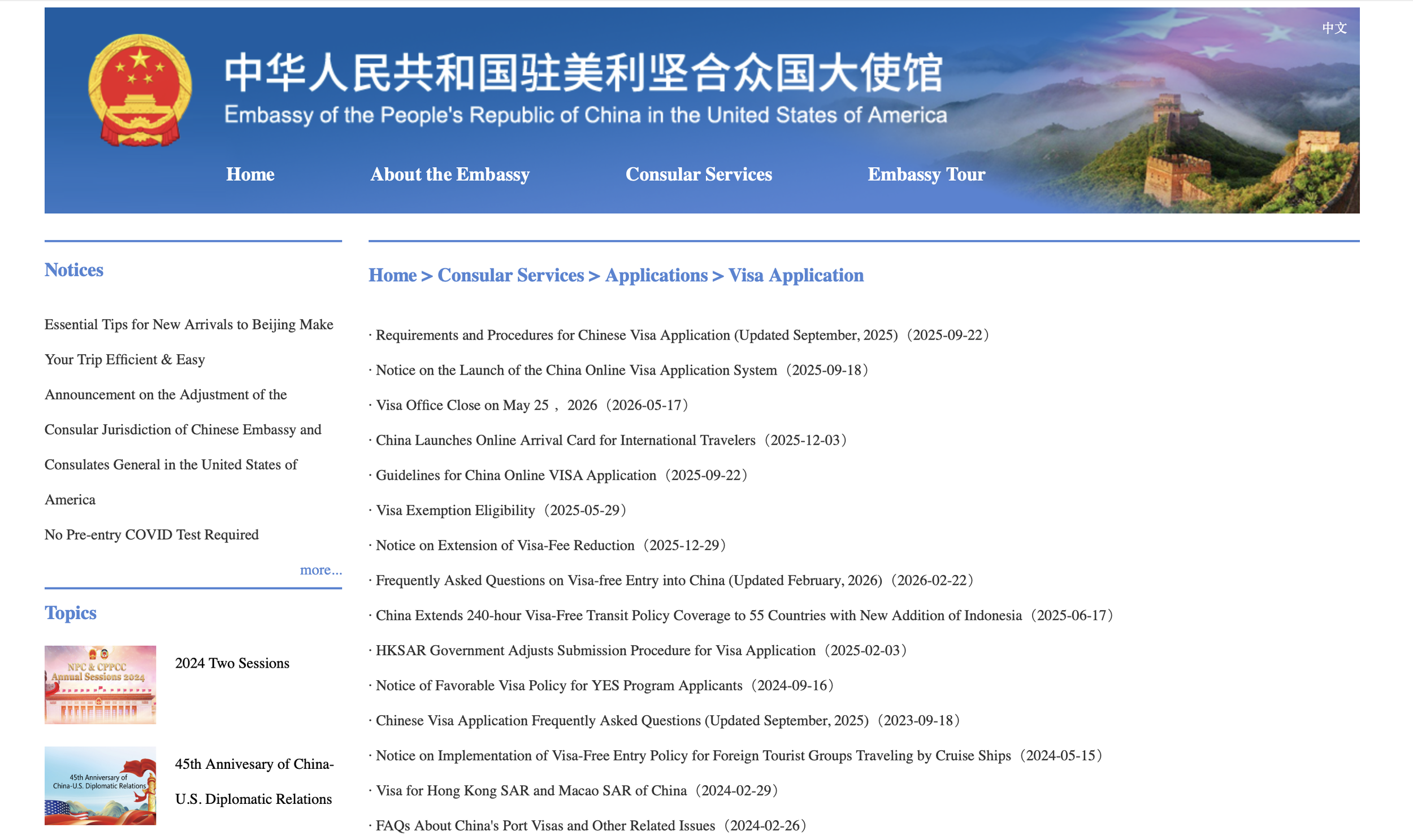
Visa requirements when visiting China are different based on your citizenship so be sure to check your specific visa requirements before visiting. When it doubt it is always best to check the China Embassy’s website directly to get the most accurate information.
If you are a United States citizen you will most likely need to get a travel visa. I personally did not get a travel visa so I am not sure what the exact steps and requirements here are, but check carefully and check well ahead of time to give yourself enough time to submit your application and get all your visa requirements settled before your trip.
240-hour visa-free transit
As a US citizen, the 240-hour visa-free transit entry is a travel option that you may be able to use, and what I personally did on my recent trip. Other countries’ citizens are also eligible for this visa-free transit option as well, so check the guidelines to see if this applies to you.
To use the 240-hour visa-free transit option, you must enter China through one of their approved ports (information available on their website), and you must leave China to a third country/region within 240 hours. In other words, China must be just a stop on a multi-region journey, not part of a roundtrip flight.
This is a good option if you’re planning on visiting multiple countries and don’t plan to be in mainland China for more than 10 days. Hong Kong also counts a separate region, so planning a trip that involves Hong Kong either at the beginning or end of you trip would work.
If you want the most flexibility to your travel plans, getting a travel visa is probably the best way forward, though. On the plus side, even though it is more work to get the travel visa upfront, it lasts for 10 years, which could be more convenient.
Print out all booking confirmations for every person in your party
I’m not sure if this was more important for us since we were traveling via the 240-hour visa-free transit entry, but the immigration officers required physical proof of our hotel bookings as well as our departure flights to verify that we qualified for the visa-free entry option.
While I do usually print out all of our booking confirmations, I only had one copy of all of our documents printed out because I thought we would be able to go through immigration together. However, we were split up, so my partner didn’t have any physical confirmations on hand when the officer asked for his proof. And because wifi was spotty he couldn’t pull up anything on this phone in the moment. I ended up asking the officer if I could go over to him to give them the documents I had with me and they let me do so. So I’d avoid all of that hassle in the first place by giving everyone their own documents to carry!
Book through trip.com
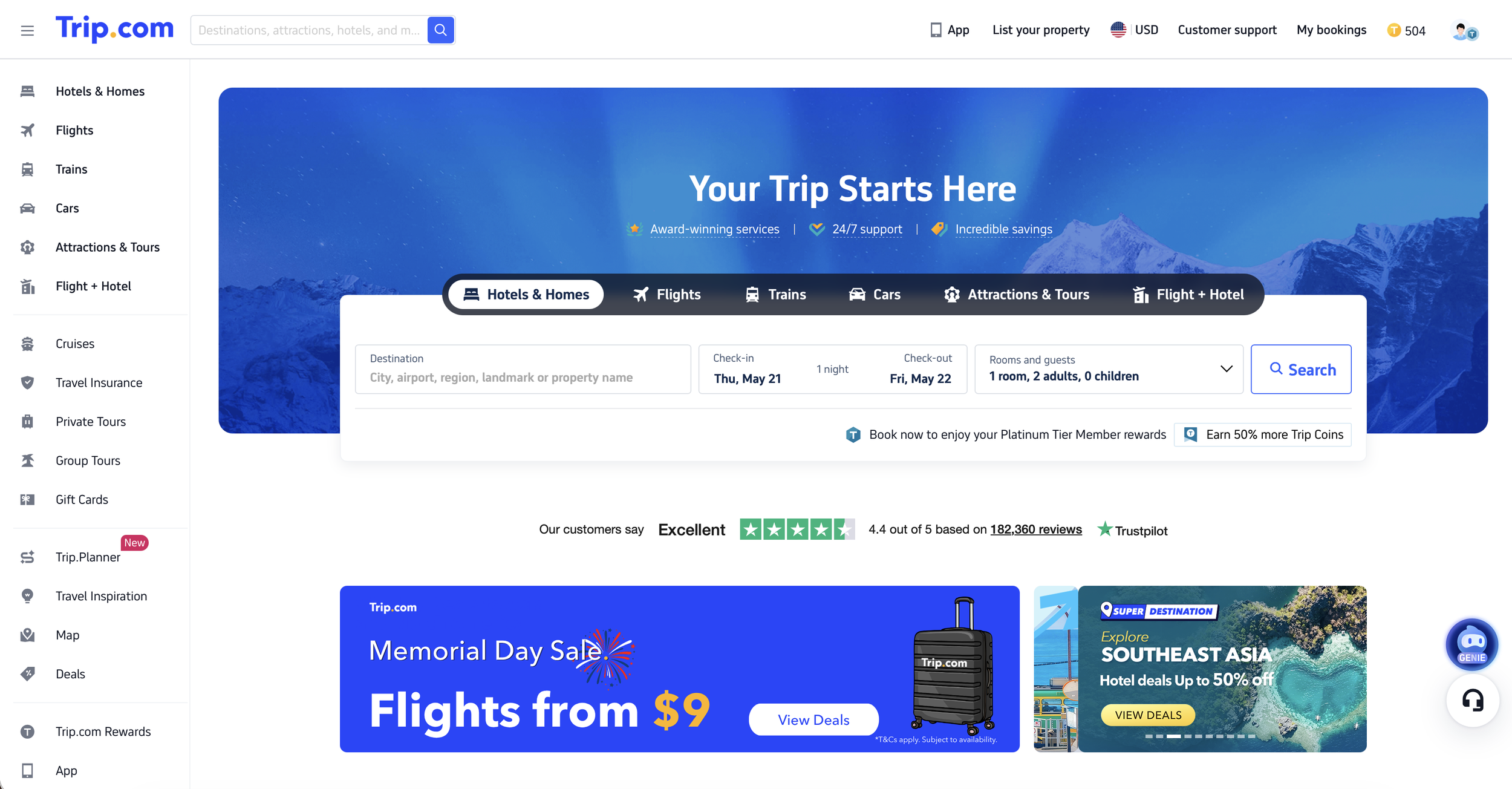
Trip.com is a China-based travel booking site, so this will likely be the best place to look for bookings like lodging and even other activities.
Anecdotally, I felt that trip.com had more lodging options to choose from, and you are easily able to see which lodging locations are good for foreigners. I typically check options across different booking platforms, but I found that trip.com had everything I needed, so all of my lodging was done through there.
However, I’d also like to note that even for lodging locations that stated they had staff that knew English, I found that this was not true for some locations. They were still friendly and we communicated through translation apps, but just something to be aware of.
Fill out your online immigration form ahead of time
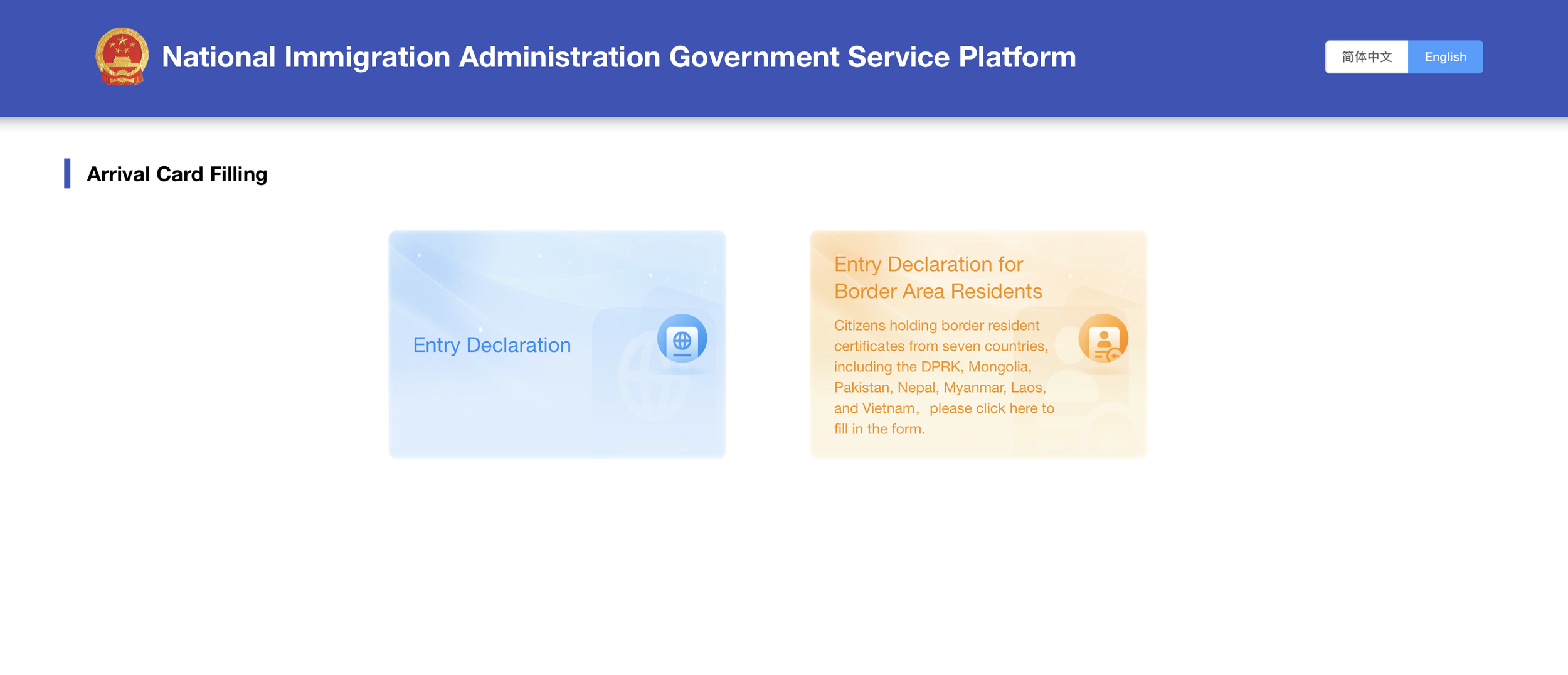
Before you enter the country, you need to fill out an immigration form similar to when you enter other international countries.
You can do this online before you arrive to save time through the Chinese government’s website. You can also do this in Alipay through one of their mini apps (see QR code here). When I was trying to fill in the arrival card through the direct website, I was having issues loading the page, so I filled our arrival card out through the Alipay mini app and that worked seamlessly. Either one works well, so you can use whichever is most convenient for you. Just make sure to also screenshot your arrival card submission confirmation to have it on hand in case you need it at the border entry (as again, wifi can be spotty).
Get an international data plan
To get around China, you absolutely need to have a good data plan. Navigating everything around the cities requires access to your phone whether your ordering food, paying for literally anything, or taking trains and transit around.
I personally recommend using Sim Local, and I have a blog post documenting my experience using it while I was in China if you want more details. You can also use my affiliate link or my code DIRECTIVE5 for 5% off a plan if it sounds like it’ll work for you!
Having a data plan is the most important aspect, but I also liked having SMS and voice when I needed it, and did end up using those features while I was in China. I also liked that with this plan, I didn’t need a VPN while I was on data to access my familiar apps and websites like Instagram and Google.
Apps to download
China is an app-heavy society. Practically everything is facilitated through apps nowadays, so having the right ones will make your trip so much easier and much less stressful.
One thing to know is having redundancies is important! So I tried to have multiple different apps that had similar functionality in case something wasn’t working.
Travel logistics and payments
Alipay

This was by far my most-used app for the entire trip. I used Alipay basically everywhere for everything - payments, public transportation, Didi, in-restaurant ordering, food delivery, etc. Like I mentioned above, I even used Alipay to fill out our immigration arrival card because it was the most reliable method for me. This is a must-have for your trip.
Set up your phone number and payment methods before your trip!
Setting up all of your accounts will require SMS verification, so if you’re not able to receive SMS while you’re out of your home country, you won’t be able to activate and use your account.
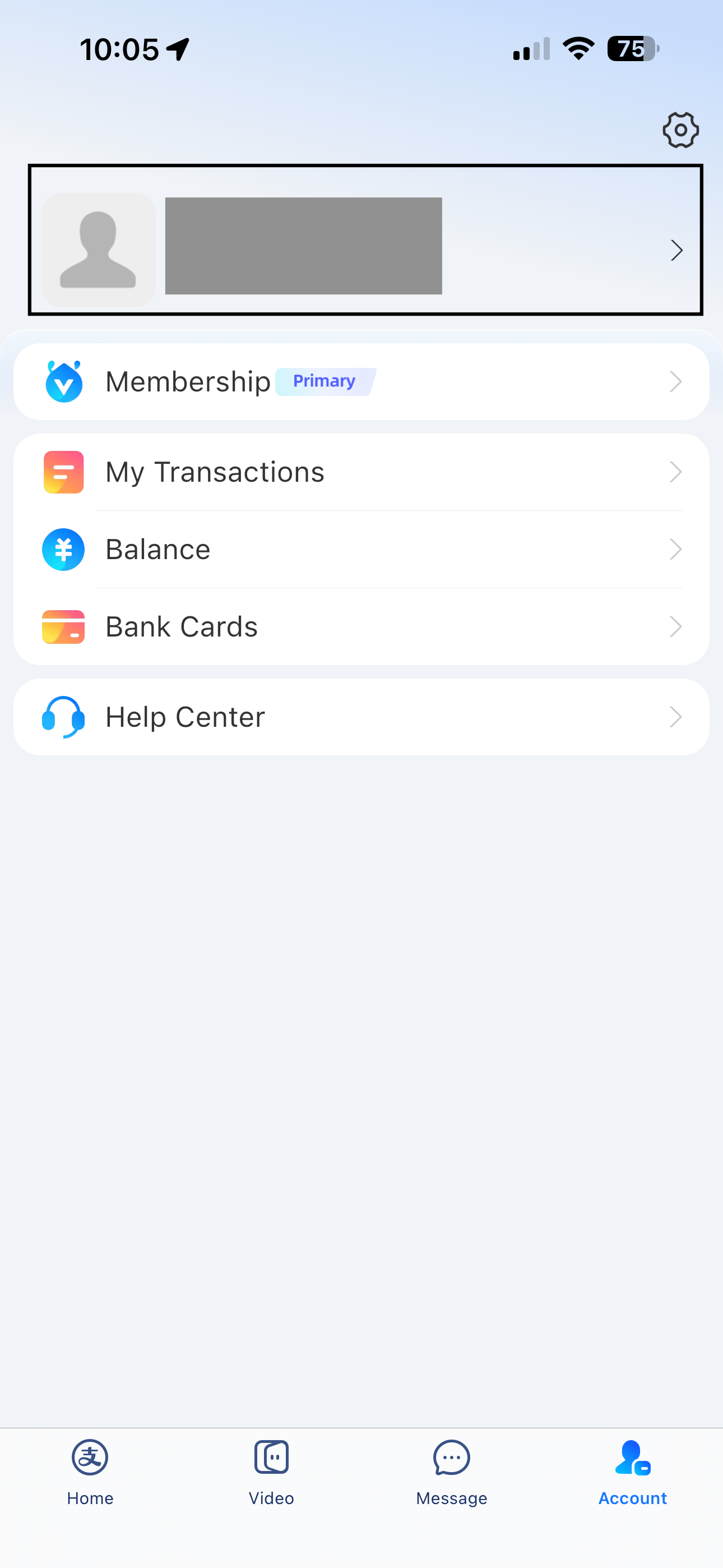
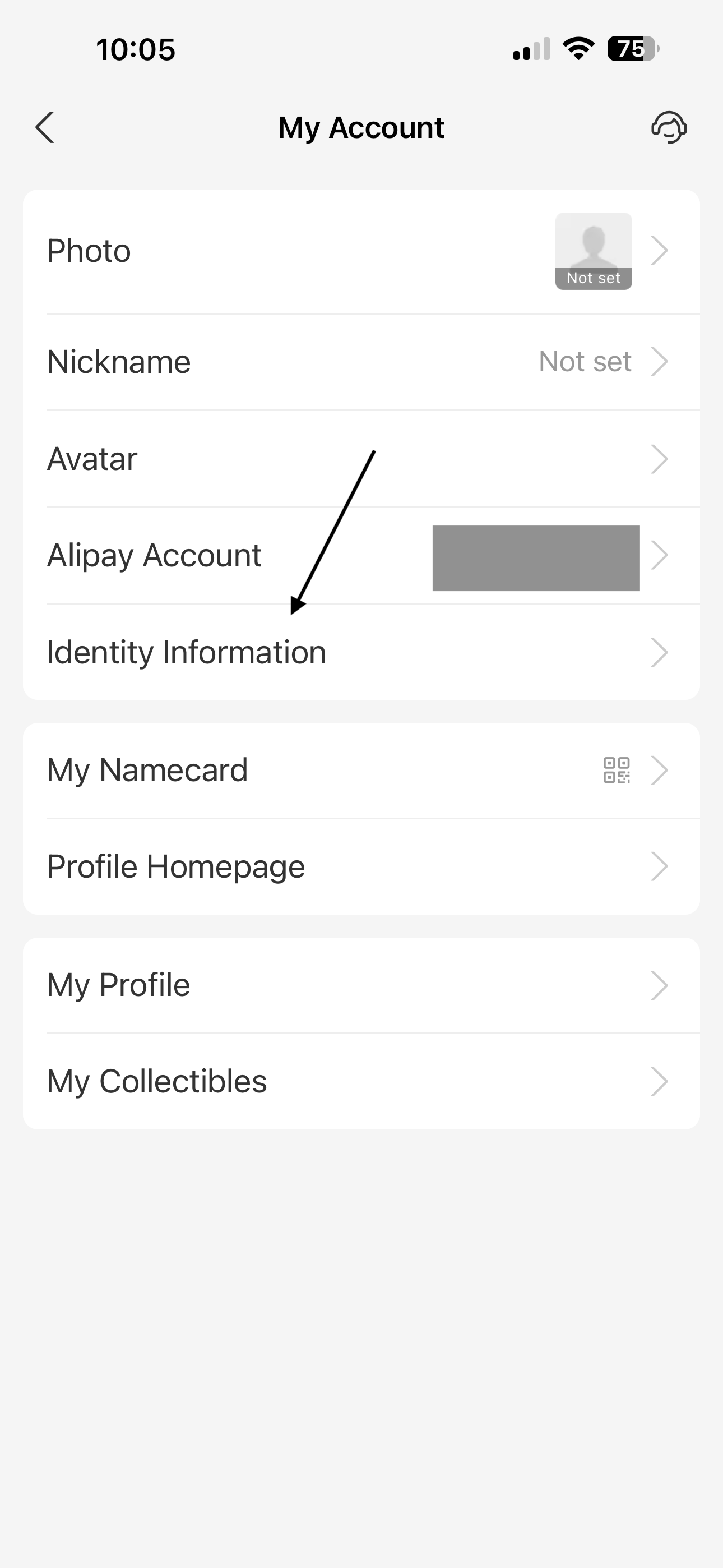
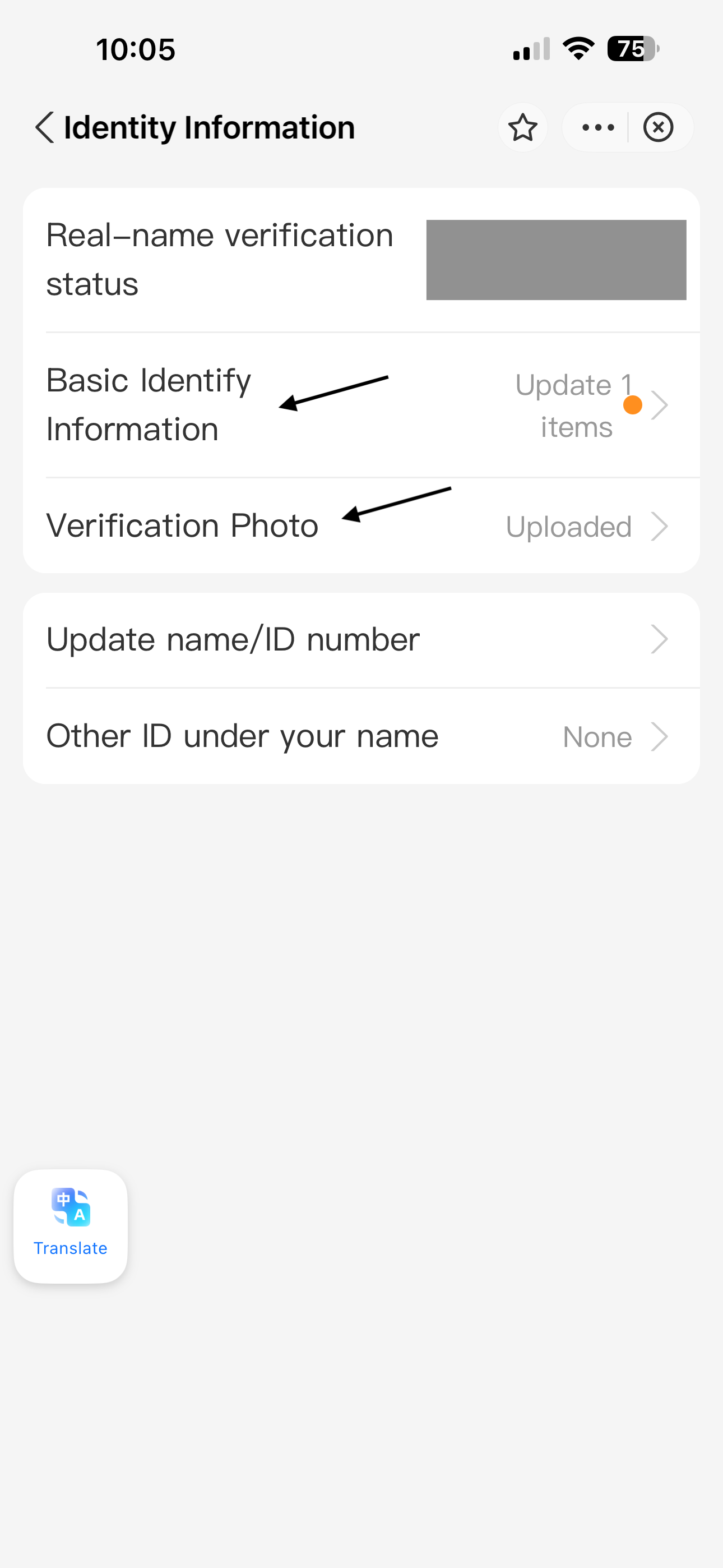
After you create your account, you will need to also verify your identity in order to use it for payments. To do so, go to the Account tab > click your name > Identity Information and fill in the necessary identity verification requirements. This will require uploading a photo of yourself for verification. I recommend doing this at least a few days before your trip in case it takes some time to verify, but I received the confirmation in less than a day.
You should also add your credit card details to your bank cards, also accessible through your Account tab.
After you’ve finished setting that up, activate your payment QR card by going to the Pay/Receive section to activate the QR code.
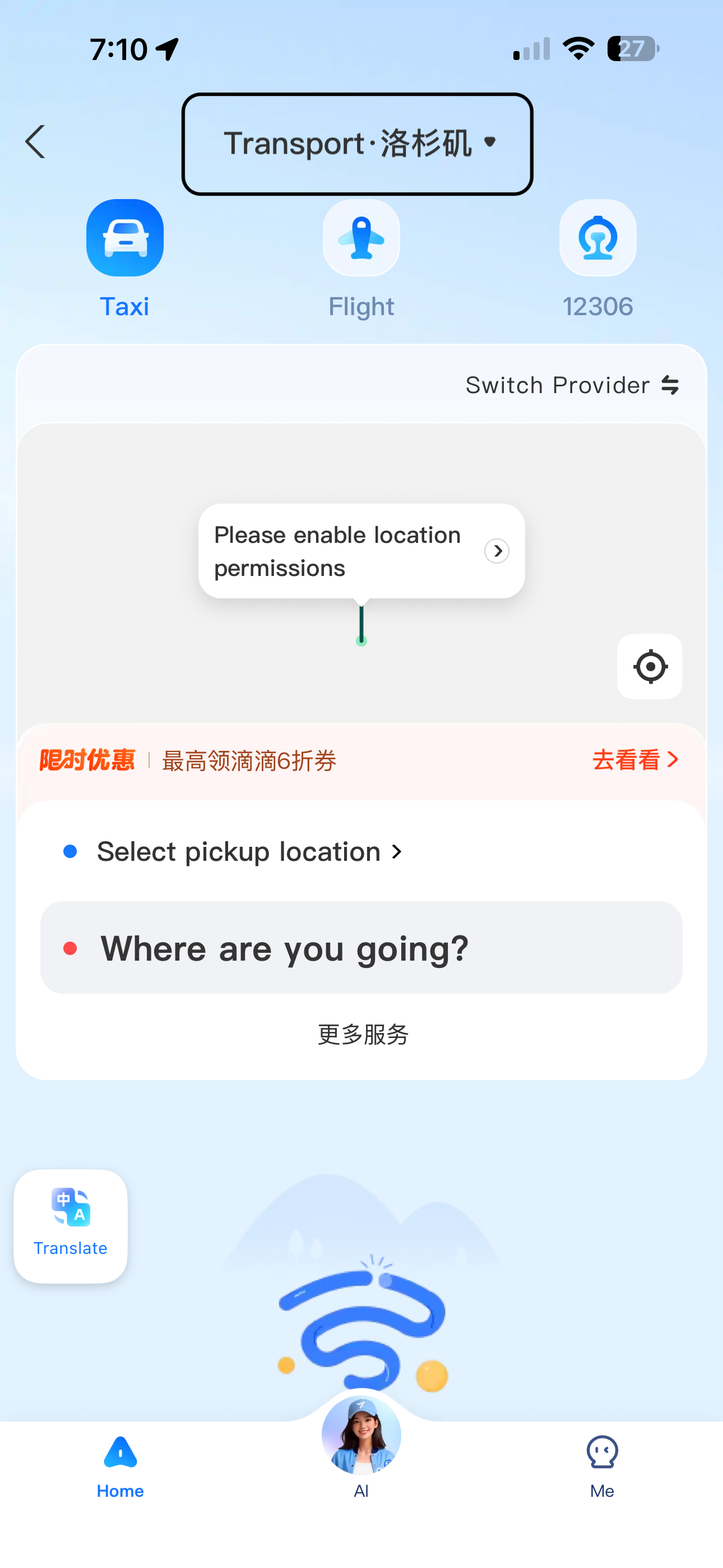
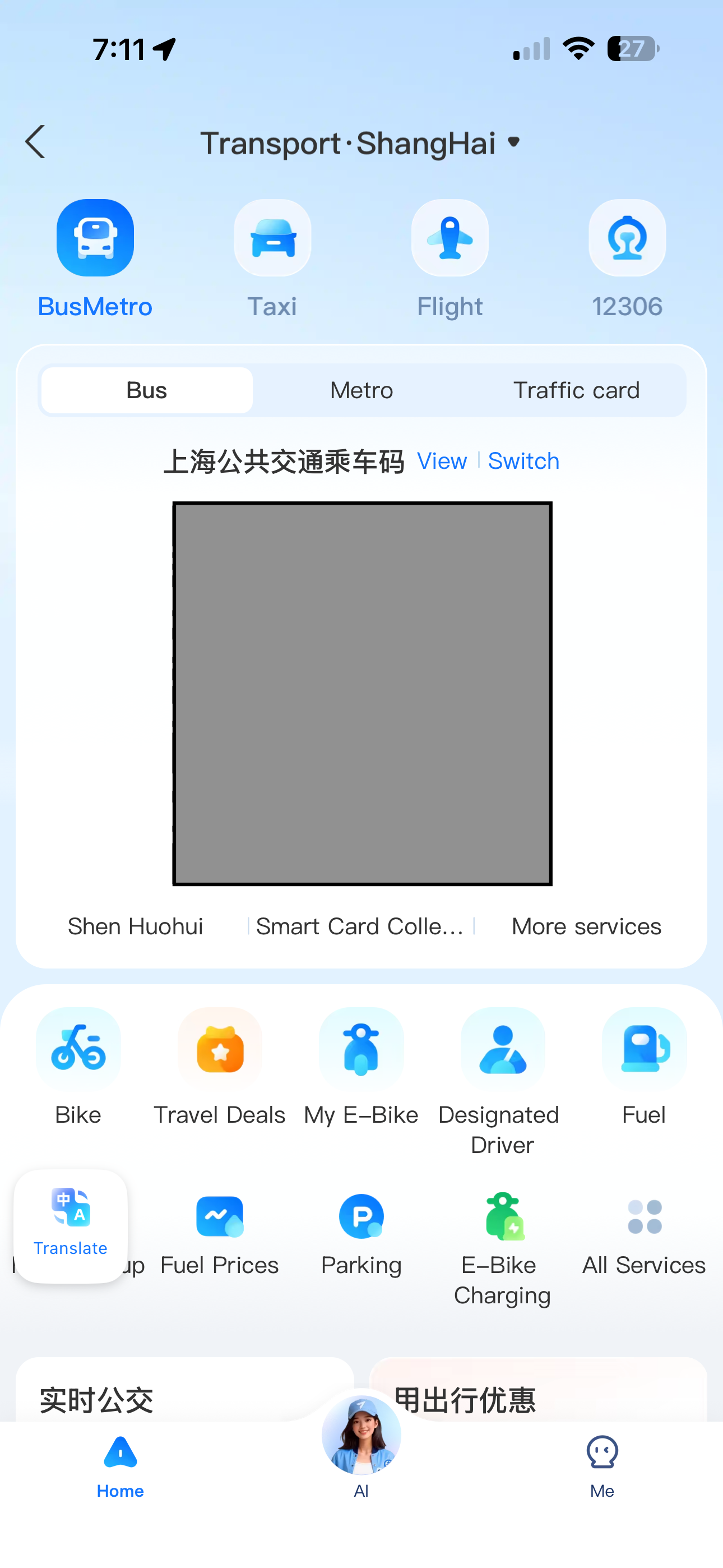
You should also activate your public transportation QR codes (they’re different!) so that you have the option of taking the bus or trains while you’re in China. To do so, go to the Transport tab. By default you ill not be able to see the Bus/Metro options if you’re not currently in China. At the top of the screen, tap the location dropdown menu and choose the city you plan on visiting. This will bring you to the transport options of the specific city. In the Bus/Metro section, enable the QR codes for both the Bus and Metro options. Do this for all the cities you plan to visit. I recommend doing this even if you’re not sure if you will be using the bus or metro so that it’s available if you end up needing it.
Don't just rely on the in-app translations
Alipay and WeChat both have in-app auto-translation capabilities that will automatically translate the text to the language of your choice. We often needed this when we were ordering food through at a restaurant or boba shop through Alipay.
Oftentimes, because food and drinks sometimes have creative names that probably make sense to someone local, the direct English translation would make absolutely no sense to us. Most of the time, it was more useful to leave the menu in the original Chinese, then translate it by taking photos of the menu through either Google Translate or Microsoft Translator. They would sometimes still be hard to understand, but using a combination of different translations helped us get closer to knowing what the items were. I will say, it wasn’t always difficult, but sometimes it was a challenge.
Making payments
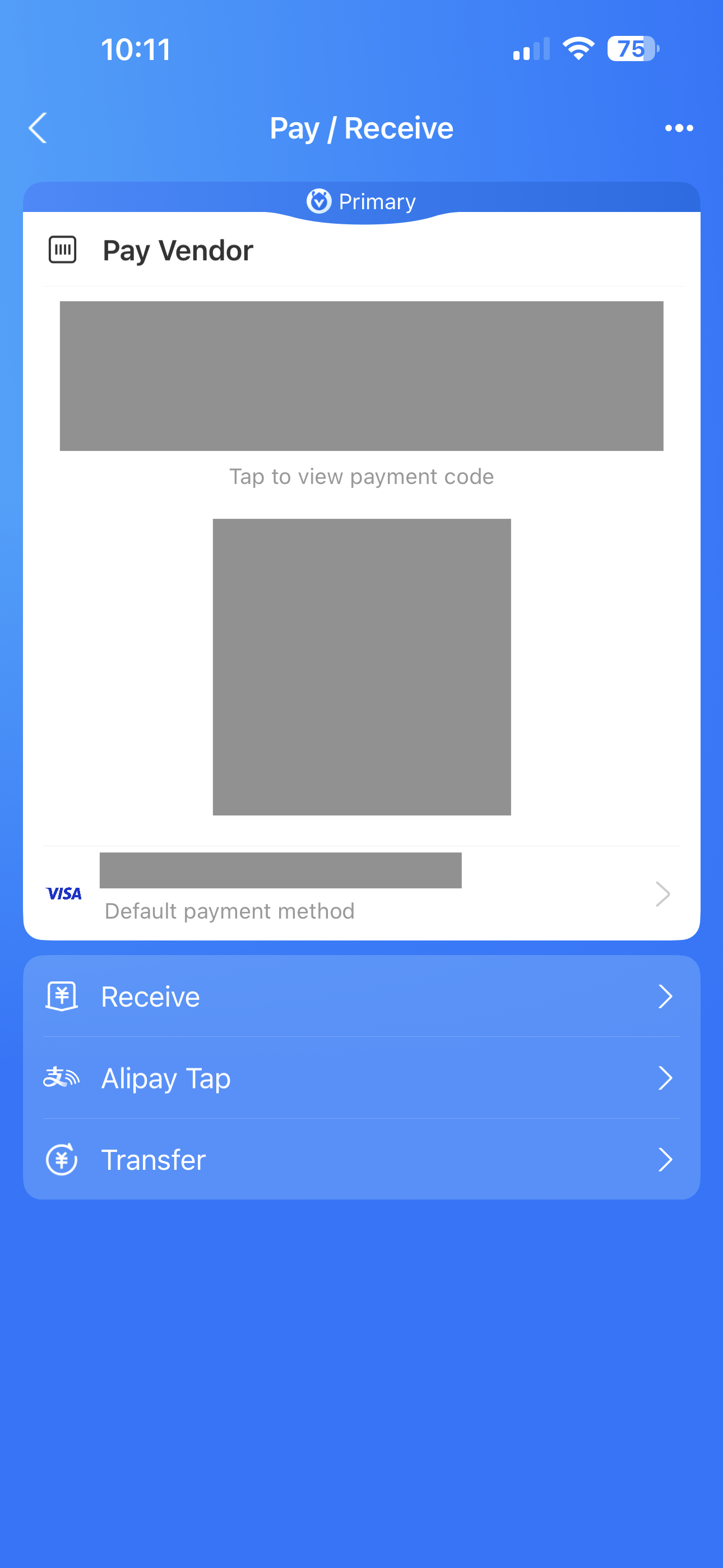
For both Alipay and WeChat pay you have your own personal QR code that is used to charge your attached card. When making a transaction you can either have your code scanned which allows the vendor to charge a specific amount to your card, or you can scan the vendor’s code and input the amount to send them yourself.
Based on what I found online, you can use either method to make payments in most places, but I primarily relied on the vendors scanning my code since that was easier for me. I only scanned a vendor code once at a street food vendor, but that was also easy to do.
Taking public transportation
Within Alipay there is a separate QR code that you use for public transportation - one for the buses and one for the subway. As I mentioned above, to enable the QR code you do need to get another SMS verification code, so do this before you lose SMS from your phone number, otherwise you will not be able to set it up once you’re there!
Once you have your QR code activated, taking the bus or the subway is simple and all you have to do is scan the respective QR code. Your linked card will be charged accordingly.
Using Alipay mini-apps
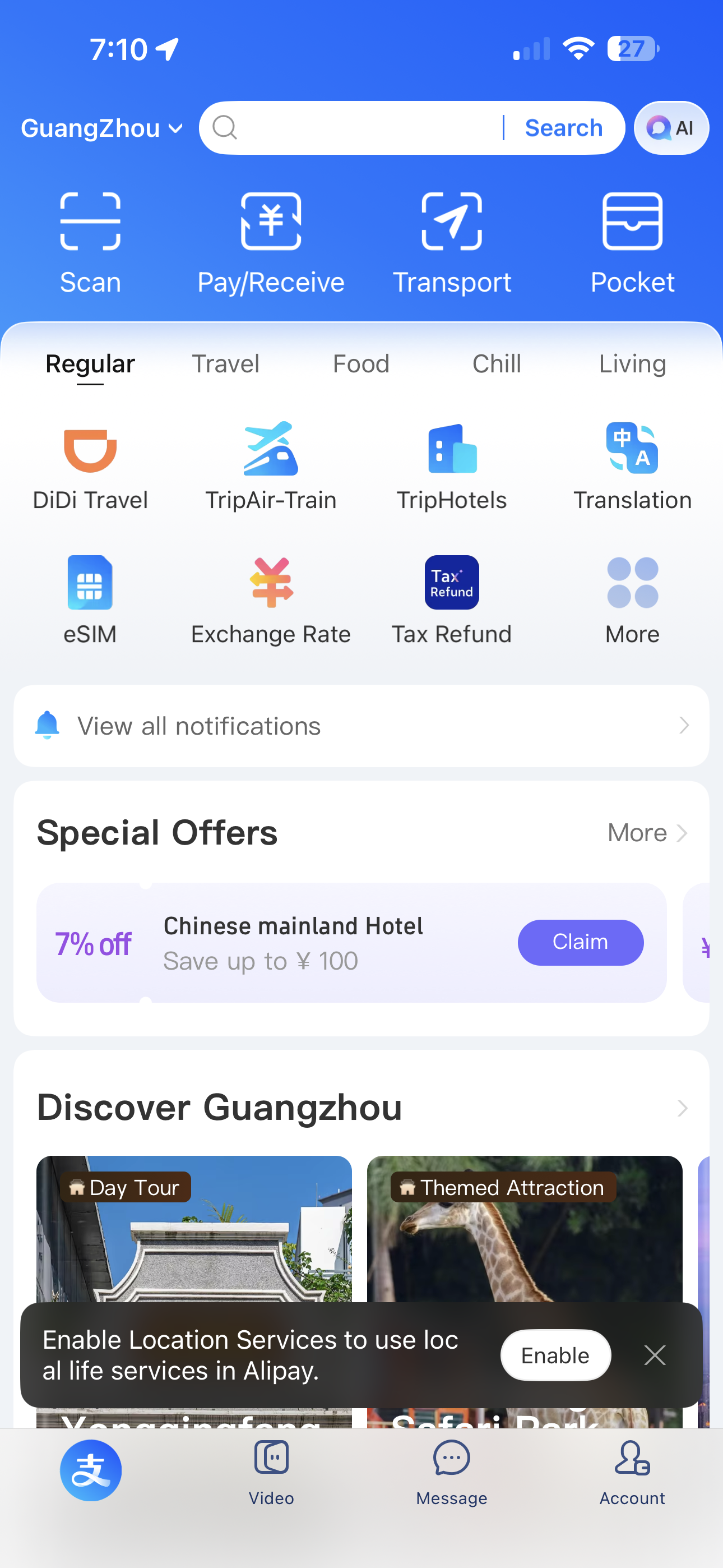
Alipay has tons of mini apps that are super easy to use. They are basically versions of standalone apps you can download, but are instead facilitated through Alipay so all of your connected information only needs to be set up once.
The mini apps we used most often for our trip were the food delivery apps and Didi. Since all of our payment information was already setup in Alipay, using the Didi mini app to book cars was straightforward and easy to do.
If you do choose to use the standalone Didi app instead of the Alipay mini app, make sure you download the Didi China app since that’s the one that actual works within mainland China.

WeChat is useful similarly to Alipay for mobile ordering at some food places. While most places I visited seem to only have Alipay codes, some spots had WChat codes instead, so having both made it really easy to swap when needed.
What I mostly used WeChat for, though, was for communication. During our first hotel stay, the hotel we stayed at offered a free airport shuttle, and in order to sign up for this service, we had to use WeChat to coordinate with the hotel and the drivers. I did have a phone number with SMS connected to WeChat, so I’m not sure if this is required in order to use WeChat for communication, or if data is sufficient.
We also used WeChat at one point to open a food delivery locker at one of our hotels when we ordered food delivery.
Amap

This is the only map app that I used while I was in Shanghai.
As you may or may not know, Google apps are not usable in China because of the firewall. I don’t know enough about this to speak to it with confidence, but I do know that they don’t work well there. If you have a VPN or a data plan that routes outside of mainland China, you’ll still be able to access them, but Google Maps is essentially useless in China since it doesn’t have accurate location data anyway.
Since Amap is a China-based map app, it has all the accurate location data, proper routing recommendations, and review and photos features for locations as well.
You can search for points of interest in English, but all review are in Chinese, so if you want to read through them you will need to translate the text.
We used Amap to navigate while walking and taking public transportation, so it was very useful! The subway and bus information was accurate and easy to follow.
Apple Maps is also usable while in China because it uses underlying Amap data, so having both Apple Maps and Amap (if you have an iPhone) could be useful.
RedNote

This app is also known as “little red book” and is a frequently used social media app among Chinese citizens. If you’re looking for real recommendations sourced primarily from people who actually live in the city you’re visiting RedNote might be the best way to find those places.
There are tons of great lists that people post that you can look through with photos and reviews. I personally didn’t think to look here until I was actually in Shanghai, so I didn’t get great use out of it, but I’ll definitely be using this for the next go!
Microsoft Translator & Google Translate

I used both Microsoft Translator and Google Translate because I found that both apps would give slightly different translations, especially when we were taking photos of menus. So if the menu items didn’t make sense from one app, we tried the other and then pieced together the information that made sense. I also got both apps just in case one was not working so that we could have redundancies.
I found that the Microsoft Translator app was better at the speak-to-translate functionality. For some reason Google Translate’s speak-to-translate just didn’t work for me. But when I was trying to communicate with other people, having the speak-to-translate work smoothly with Microsoft Translator was really helpful.
If you do use Google Translate, also remember to download the Chinese language locally.
Transportation around Shanghai
Didi

Didi in China is like most ride-hailing apps that you’d find elsewhere, like Uber or Lyft in the United States or Grab in other countries.
Didi is more like a mixture between a taxi service and an Uber/Lyft because you can use it to request taxi cars as well as drivers. When it comes to the taxi rides, the fares on the app are actually estimated costs - you don’t pay until the ride is finished and the real cost is calculated. They also have a “pre-paid” option where you pay for your ride upfront and pay the exact cost that you see - this is more akin to how Uber/Lyft work. The pre-paid option is typically more expensive than the standard taxi fare.
I’ve seen online that some people can fall victim to scams in which their Didi driver either doesn’t end their trip and charges them for more than their actual ride or tells them they need to pay off the app for additional cost. I didn’t want to run into any of these issues, so I opted for the pre-paid ride option every time I rode a Didi. It was more expensive than the taxi fare, but it still wasn’t that expensive and it was worth the peace of mind for me.
Subway
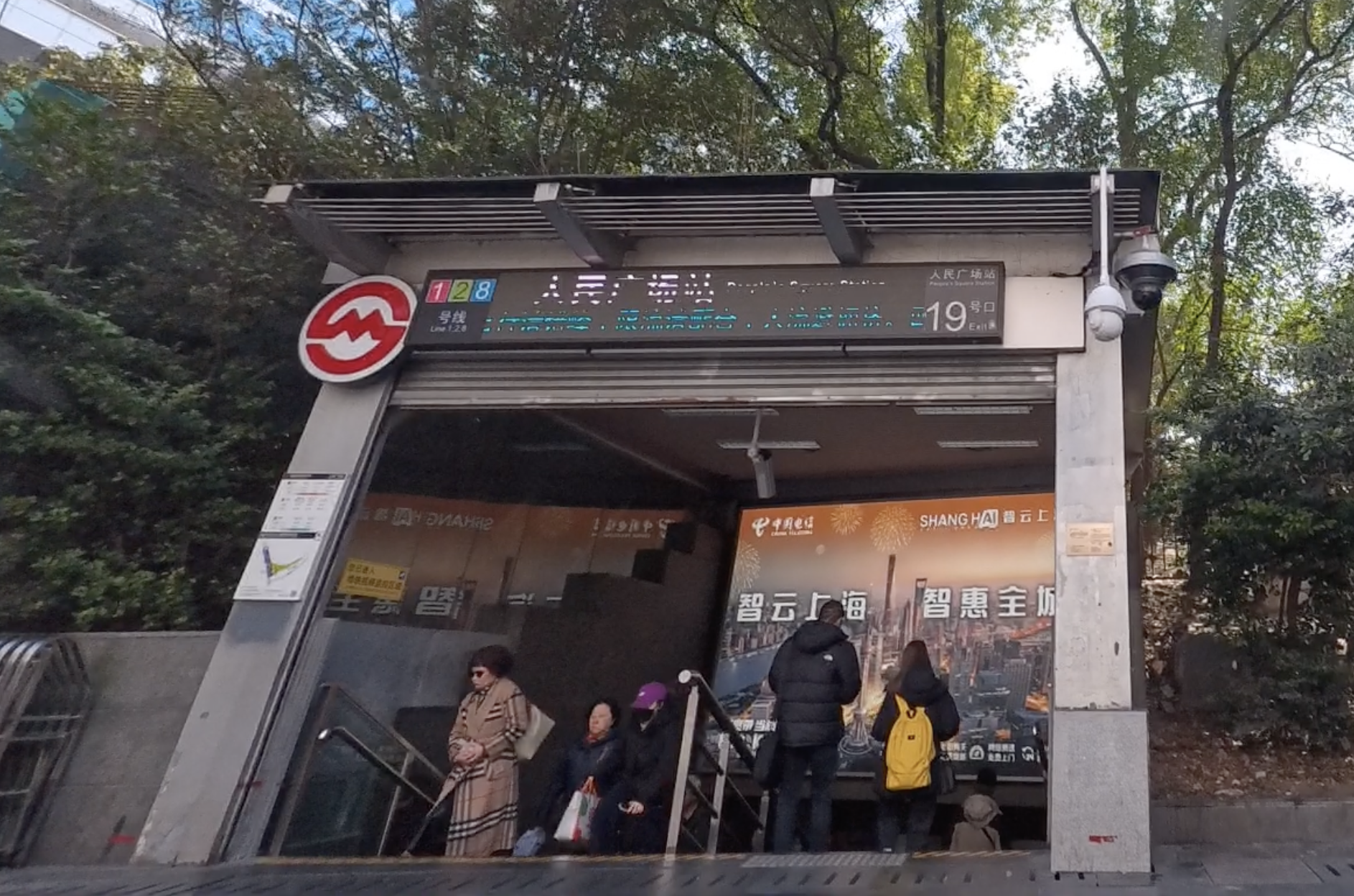
Shanghai’s subway system was pretty well-connected, at least for the locations that we were traveling around. The stations were easy and straightforward to navigate; the subway lines are all identified by numbers so they’re easy to differentiate.
In order to enter any subway station platform you need to pass through a security checkpoint where your bags are scanned. This is a bit inconvenient especially when it gets busier but it does move fairly quickly. I wasn’t sure how people would get around with large bags like luggages on the subway and we didn’t want to risk it so whenever we had luggage, we used a Didi. But for quick trips, subway was our primary mode of transportation.
Buses
We only used buses a couple times on our trip, and we really only used it when there was no subway available. But in general it was just as convenient to use as the subway.
Miscellaneous thoughts
Learn common Chinese phrases
This is a great thing to do in general whenever you’re traveling to a country that speaks a language different from your own. While most businesses can accommodate with translation apps and things like that, knowing some common phrases always makes the interaction a little easier and smoother.
Even being able to comprehend some of the things people may ask you is also helpful.
Words and phrases I generally like to know:
“hello”, “please”, “thank you”, “excuse me”
numbers
“how many people?” (from them) and “<> people” (from me)
points of interest
“for here / for takeaway”
Take advantage of the food delivery apps!

Ordering food delivery is so easy and convenient , and also not expensive! We ordered boba to our hotel room pretty much every night.
Every hotel handles food delivery a little differently - during our stays one delivered it to our room, one stored it at a table for pickup, and one had a locker that you needed to unlock using WeChat. So they all can be a little different, but not too difficult to get the hang of.
I’ve also heard anecdotally that you can even order food delivery to an actual restaurant you’re dining at! So if you wanted boba from somewhere else during dinner, you could even do that too! I’m not familiar enough with the local customs and wasn’t able to communicate well enough to do something like that, but it sounds pretty cool!
Be assertive
People in the city here are bustling and assertive, so you kind of need to be too!
Very often at food spots when I was going to pick up my boba from the pickup window for example, people would be pushing past me and trying to shove their receipt in the employees hands before me. This happened quite a lot, so you pretty much just have to get used to it and hold your own space when you have to.
We were even cut by a whole party of 6 people at a restaurant when we were trying to go up to order. I’m not a confrontational person so this was an uncomfortable situation for me to be in, but you just have to accept it and act in kind
Check out the street food
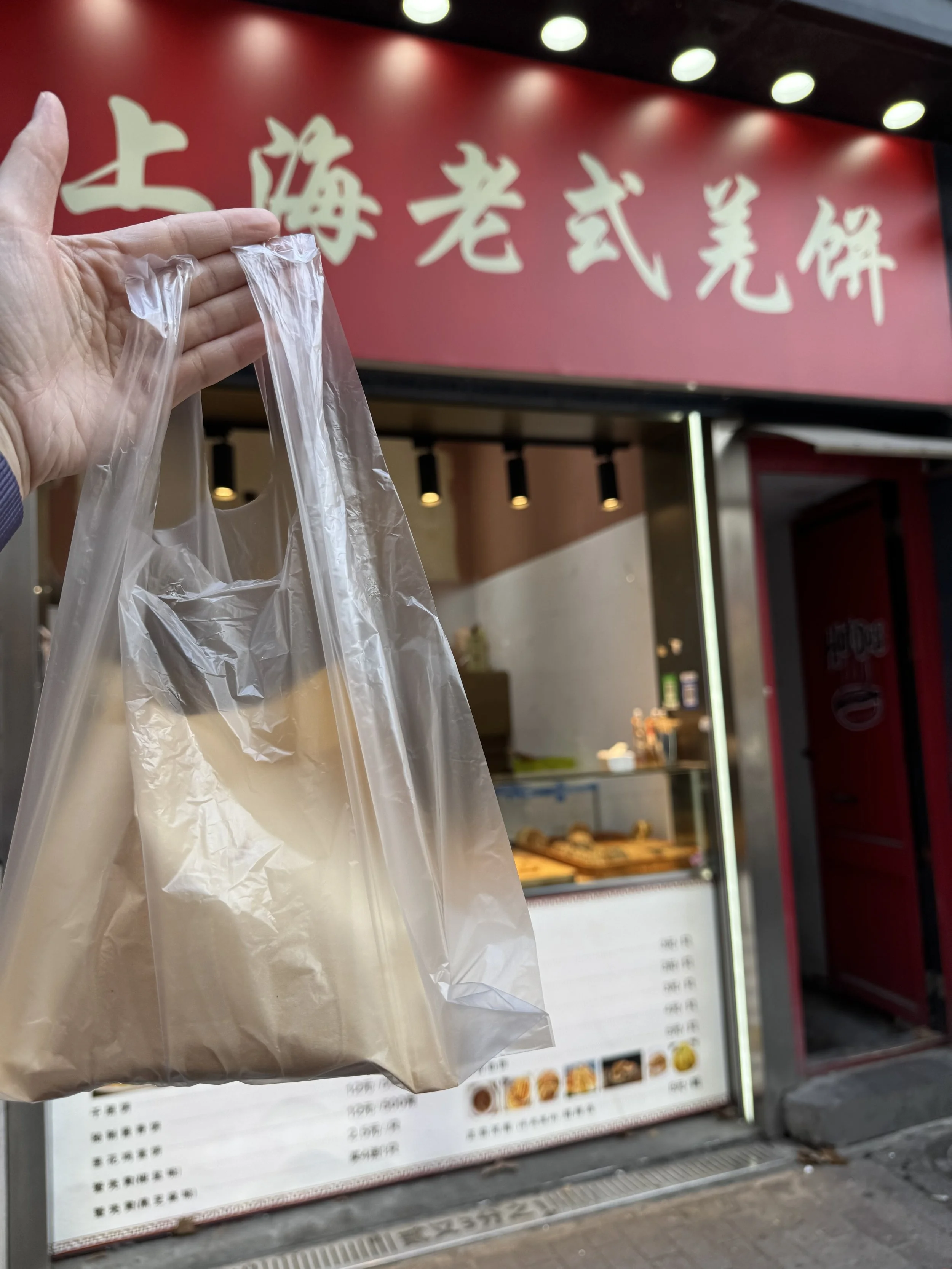
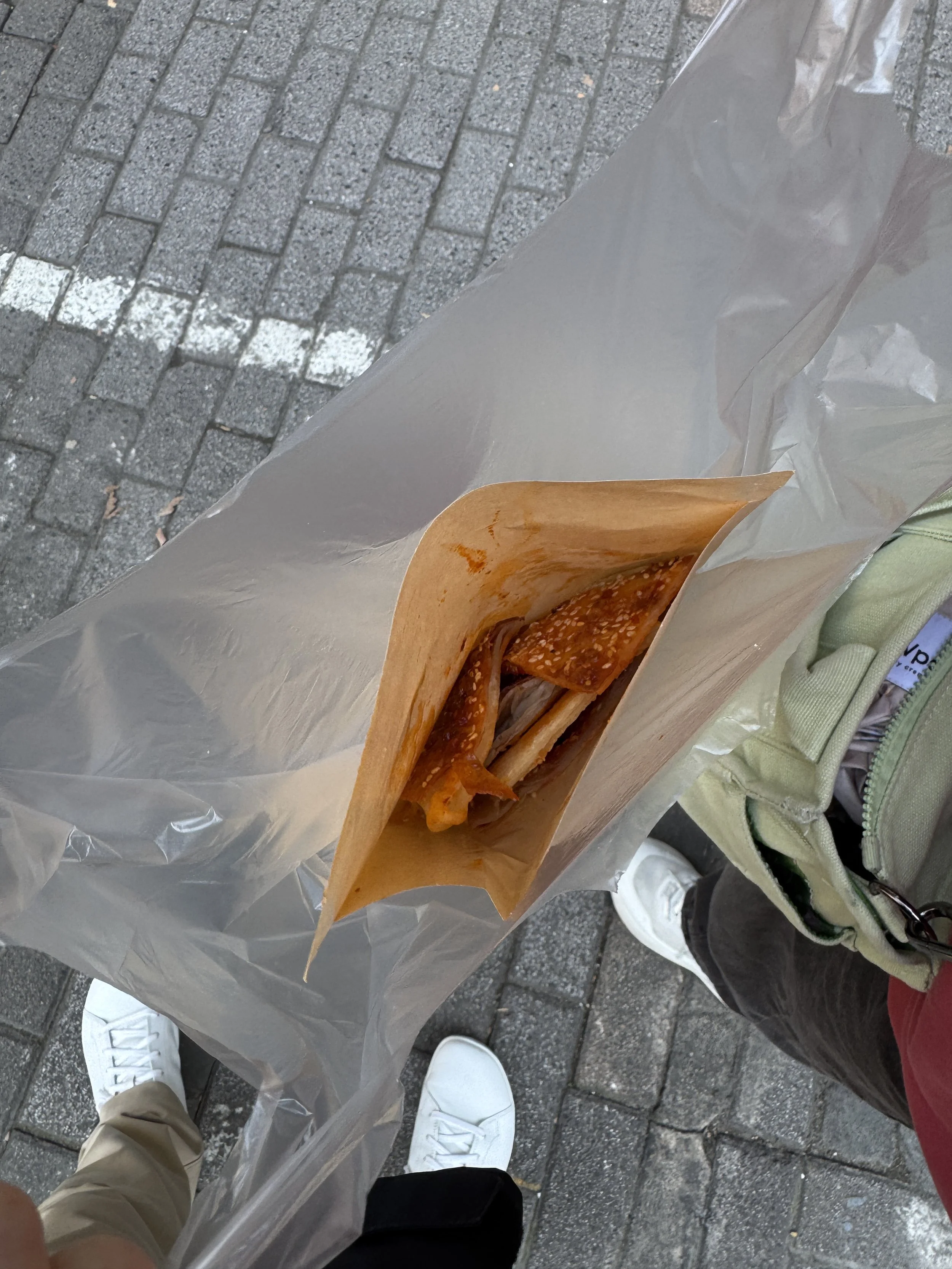
Social media and online spaces are great for finding popular places to eat. I also personally really like knowing what to expect when I go somewhere so finding places online first is the best way to do that. But in general, those spots tend to be very popular and also not the most affordable.
Don’t forget that there’s sooo much good food that’s not talked about online, especially if you’re trying to visit cities in China from the United States.
So I recommend checking out food vendors that you see on the street or making time to try things that aren’t planned for. This is probably also the best way to try really delicious food for very cheap too, because most places that are famous and popular are usually not the best deal around cost-wise. So look for some more underrated places, and give them a try!
I checked out this random scallion pancake stall on the street just because, and we got two whole fresh-made pancakes for like less than 50 cents? One of the cheapest AND one of the most delicious things I had on the trip!
Bring masks
If you’re sensitive to smog and smoke, I highly recommend bringing masks for daily wear. I’m super sensitive, so I tried to wear a mask whenever I went out just because it was smoggy everywhere, and people are also smoking everywhere.
Final thoughts
As someone who stresses out a lot over every little thing, preparing for my trip to Shanghai was quite overwhelming. Having to get a whole set of different apps, figuring out the best way to translate things, and then actually applying everything I prepared for to the actual trip was…a lot. However, I learned so much about traveling to China with this experience, and there are so many more regions to visit, so I’m glad I’ll be able to apply all of these learnings to future trips!
If you’re thinking of visiting China too, or are in the midst of planning yourself, I wish you the best of luck and hope you have a fantastic trip! And I hope this post gives you a better idea of what to expect!